
Pac-Man
Also known as: N/A
Developer: Atari
| My Score | Avg. Score | ||||||
| 8.0 | 7.7 | ||||||
| Release Dates | |||||||
|
|||||||
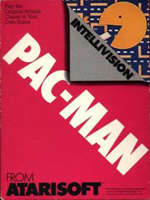



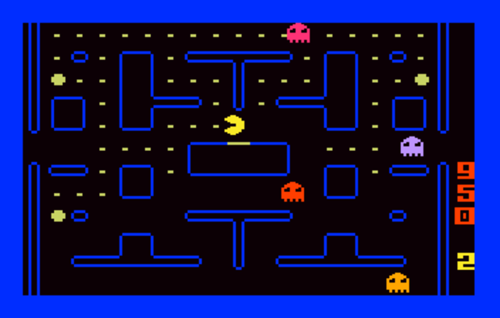
A year after Atari ported Pac-Man to their console to mostly negative reception, they decided to give it another go…but this time, porting the game over to the Intellivision. To say that this port was vastly superior to Atari's original outing is an understatement. In term of graphics, you may see the ghosts and think, "Oh, no…I remember those turds from the Atari version." Well, you're right, but this time, these turds don't need to use the flicker effect to give the illusion that all of the ghosts are on the screen at once…they actually are on the screen at once, so no flicker effect. The more powerful Intellivision also allowed Atari to make everything else look a little closer to the arcade version, as well, most notably getting rid of the weird maze color choice on the Atari VCS, and the long rectangle pellets that Pac-Man picked up, replacing them with a maze color and design that matches the arcade version, and pellets that are still rectangles, but look more like pellets and less like sticks of bubblegum. They also removed Pac-Man's eye…which is great since I felt like Pac-Man was looking at me and passing judgment every time I tried to play his game on the VCS version. But anyway, aside from the visual improvements, the game plays much, much better and smoother than the VCS version, too. THIS is the home port of Pac-Man that people wanted back in 1982 from Atari. Better late than never, I suppose, but it didn't look great for Atari when their initial attempt at making this game on their own hardware turned out so poorly, and then they develop the same game for rival hardware, who's whole campaign revolved around comparing how superior their hardware and games were to Atari's, and that version turns out to be far, far superior. Atari basically just told customers, "Yup. They were right. Intellivision is superior to the Atari 2600." Anyway, if you own an Intellivision, and love Pac-Man, then this is a solid game to track down and add to your library.
Review added: 04/30/2026
PBA Bowling
Also known as: Bowling (Re-release)
Developer: Mattel Electronics
| My Score | Avg. Score | ||||||
| 8.5 | 7.3 | ||||||
| Release Dates | |||||||
|
|||||||
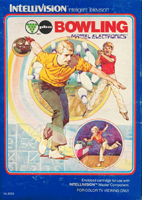
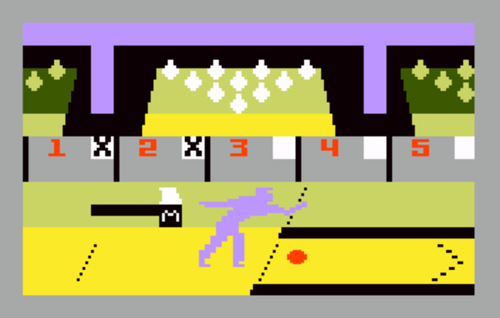
Like the other Intellivision sports games, PBA Bowling is a licensed game that tries to emulate the sport rather than provide a simple, arcade experience. Unlike most of the other sports, however, bowling is often a single person sport, though it can be played in teams. As a result, PBA Bowling doesn't just allow a single player to play this game, but they also allow up to four players to play at once - either against each other or in teams of two. The options before you bowl is also a bit surprising for a game of its time. You can decide how slick an alley is on a scale of 0 to 10, which decides how much of a curve balls will have when thrown. You can also set the weight of your ball - the heavier the ball is, the more it pushes the pins around to potentially knock over more pins while the lighter balls bounce off the pins to potentially knock more down that way…selecting the right ball for your play style is key to coming out victorious. You can also select if you're right handed or left handed, which determines the direction of the curve when a ball is thrown. Once the action begins, the ball color indicates the bowler that is currently active - red for bowler one, light green for bowler two, blue for bowler three, and dark green for bowler four. Once you begin, you'll realize that you're pretty much doing everything - you start by pressing the disc on the controller to pick up the ball from the ball return. Next, you want to position your bowler where you want them at the starting line. Next, you press and hold the lower right side button which will activate a white circle on the right side of the screen. This indicates the spot your ball will cross after you throw it….if you fail to hold that button down, you'll get constant gutter balls. Then your bowler will begin to move, You can determine how much of a curve your ball will have at this time by pressing part of the direction disc. If you don't put any curve in, the computer will put in a random curve for you (or allow it to go straight) so the key to being successful in this game is to learn how to properly curve your ball. You can also perform sharp, loft curves to pick up difficult spares like the dreaded 7-10 split. Speaking of spares, if you don't want to play a normal game of bowling and want to practice picking up spares, you can chose to play game 2, called Pick-Up Spares, which allows you to practice and/or show off your skills with a mixture of easy spares and difficult pick-ups. Like real bowling, PBA Bowling takes some time to really get good at, but once you get the hang of it, you've got a very solid game of bowling that's one of the better sports games on the Intellivision.
Review added: 11/26/2025
PGA Golf
Also known as: Golf (Re-release)
Developer: APh Technical Consulting
| My Score | Avg. Score | ||||||
| 6.5 | 6.6 | ||||||
| Release Dates | |||||||
|
|||||||
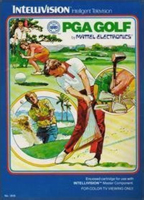
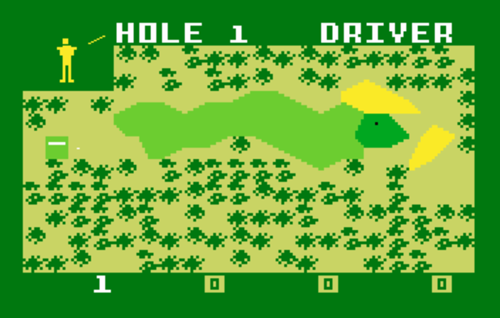
PGA Golf was likely either beloved game by fans of golf or a frustrating game for folks that don't know the difference between a nine iron and a tire iron. The manual does a good job of explaining what club to use and when, but these days, if you find a copy of PGA Golf not in box, it may be a frustrating experience to not know what club to use and when. Picking the right club is essential for doing well in this game, so if you want to see what the other courses look like without being labeled as "The Bogeyman" by everyone on the street afterward (they'll know what you've done), it pays to pick the right club. The downside? There is nothing on the screen to tell you how far you have to hit the ball. Back to the manual, it says that the television screen is 580 yards long. So, you've got to guess on how far you need to go based on the fact that the screen shows 580 yards. Whether it be driving the ball towards the hole or trying to putt it in, be prepared to find yourself channeling your inner Happy Gilmore, frustratingly asking the ball if it's too good for its home, then walking outside in hopes of finding an elderly game show host to punch in the face…I haven't found one yet. Anyway, PGA Golf is technically a decent game - it plays smoothly and all…but the frustrations that are bound to arise for folks like me that know absolutely nothing about the sport, and/or have a horrible sense of measurement to estimate which clubs to use, prevent me from feeling like I can give this any higher of a score.
Review added: 11/26/2025
Pinball
Also known as: N/A
Developer: Mattel
| My Score | Avg. Score | ||||||
| 8.5 | 8.0 | ||||||
| Release Dates | |||||||
|
|||||||
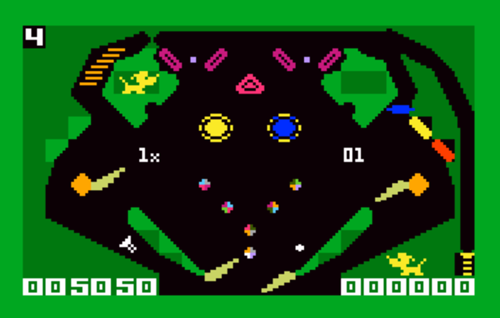
Up until this game was released, home console pinball games didn't really feel like pinball. Atari's Pinball tried, to a degree, but it felt more like you were just watching a ball bounce around in zero gravity for a minute before you were able to hit the ball with a flipper, then sit for another minute while watching the ball bounce around before you were able to hit it again. While the concept of pinball was present, it didn't look, feel, or play like a real pinball table. Mattel's attempt at pinball, however, actually felt like you were playing an actual game of pinball. It's not just a single screen, either. This is a pinball table that has three different screens. If you shoot up through both of the V-shaped lanes at the top of the screen, a "white cup" will appear. If you shoot the ball into that cup, you'll advance on to another screen. On that screen, hitting the "twin" drop targets in the upper right will make another white cup appear, which can transfer you to the third screen, where's you'll rack up the most points when keeping the ball in play. The downside, to me anyway, is that I feel like it's way, way too easy to loose balls on the sides of the screen. I feel like if I lose a ball down by the flippers, then I lacked the skill to keep the game going. When I hit the ball, it bounces around a bit, then goes into a side path where I have zero chance of saving it, that just feels cheap…and that's how I seemed to lose most of my balls when playing this game. Still, though, you've gotta start somewhere, and I'll give Mattel credit for giving us an actual pinball game instead of some unique hybrid that calls itself pinball, but is nowhere near as fun as the real thing. Mattel's Pinball still isn't as fun as the real thing, but in 1983, if you didn't have a home computer (David's Midnight Magic came out a year earlier) this was the best that you could get in your living room without buying an actual pinball table.
Review added: 04/29/2026
Pitfall!
Also known as: N/A
Developer: Activision
| My Score | Avg. Score | ||||||
| 8.5 | 8.0 | ||||||
| Release Dates | |||||||
|
|||||||
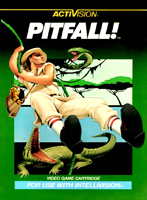
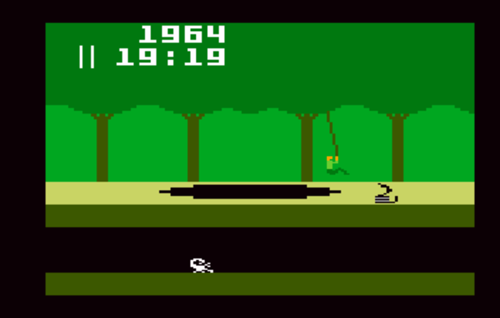
I wish I could say that this Intellivision version is vastly better than the Atari 2600 version of the game, since the hardware is capable of more…but this is basically the same game as the Atari 2600 version, which isn't necessarily a bad thing since the Atari 2600 version is so good…but I guess I was expecting at least a graphical overhaul of the game if nothing else. While there are minor differences in the look of the games, both versions are nearly identical in terms of graphics. Some colors look slightly different from one console to the other, and some animations are slightly better on the Intellivision, but otherwise, this mostly feels like a copy-and-paste port of the game. But again, with the Atari version being so good, and one of the better-looking games on that console, I don't think it bothered too many Intellivision owners that their version was mostly the same. Especially since the part that matters the most, the gameplay, is also copied over. Though, since the Intellivsion has a controller with more buttons, Activision did make the odd decision to make use of extra buttons…a bit of an odd choice, honestly. If you jump onto a vine, the same button does not release you from the vine. You need to press a different button. Yes, there is a button that only has the purpose of releasing a vine while swinging - it's not used for anything else. Why not just keep it simple and use the same button for everything? It worked on Atari's console. Anyway, that complaint aside, this is still a solid game. It is a little disappointing that it's not a beefed-up version of what we got on Atari's platform, but when it's essentially a copy of an already great game, I guess it's kinda hard to complain about it.
Review added: 04/29/2026
Popeye
Also known as: N/A
Developer: Parker Bros.
| My Score | Avg. Score | ||||||
| 7.0 | 6.7 | ||||||
| Release Dates | |||||||
|
|||||||
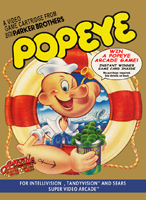
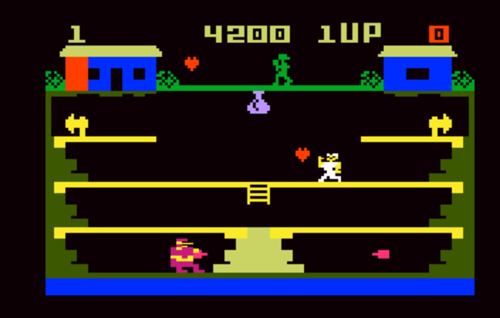
Part of the appeal of Popeye in the arcades was that Nintendo did such a great job visually, that Popeye was simply neat to look at, especially if you were a fan of the spinach-eating sailor. The Intellivision version, then, may be a bit of a letdown if graphics are your main focus when playing a game. But, as the kids say, "Graphics don't make a good game." What kids say that? Well…THE kids, of course. Ain't you heard of THE kids before? Them Wahlberg boys are making burgers at their young age, so they seem like they've got their lives sorted out. Making burgers is always a surefire sign that a life is sorted out and on the right track. Those kids know their stuff, they ain't just the new kids on the block anymore. Anyway, now that I've spilled my source for all of the hip and trendy things I know, let's continue on. Popeye may not look great, especially compared to its arcade big brother, or some of the other ports to console, but it still plays pretty well and true to the arcade game. So, while you may be disappointed that the pretty looks aren't there, if you're a fan of the gameplay of the arcade version of Popeye, you'll likely be pleased with what you get here. So, if you wanna march around as a sailor with giant forearms, collecting hearts from the lady you love, and eating spinach so you can punch a big ol' bully in his big ol' bely, then Popeye lets you do that. It's definitely not arcade perfect, but if you're a fan of the arcade game, this definitely may be good enough for you.
Review added: 04/29/2026