
Combination Wars
Also known as: N/A
Developer: Gary Guttebo
| My Score | Avg. Score | ||||||
| 6.0 | 6.6 | ||||||
| Release Dates | |||||||
|
|||||||


Combination Wars is an educational math game hidden behind a name that sounds like it would be anything but mathematical. Combination Wars is a game designed to help you with your basic multiplication. The game starts out kind of neat - you get a decrypted message. Pressing a key translates it all, so you can discover that by simply playing this game, that you've been given the rank of Commander in the service of "the Federation." You're told that you're taking command of a warp speed starship that apparently isn't fast enough since you'll be attacked repeatedly by "combination torpedoes," which can, apparently, travel faster than warp speeds to hit your ultra-fast ship. The torpedoes are being fired by Klingon forces…I know that's a Star Trek reference, but I'll admit, I have never seen a single Star Trek episode, movie, etc. From what I gather from this game, the Klingons are a war-like species that are so savage that they fire torpedoes at you that can only be disarmed by solving math problems….those heartless, soulless space people. Anyway, then the game starts. You'll see a torpedo on the screen, one at a time, moving from left to right. If you can solve the math problem on the torpedo, then you'll see a dotted laser beam shoot in from the right and blow up the laser…which begs the question, if the laser is what really blows up the torpedo, then why am I solving these math problems? Why not have me get behind another laser cannon and start blasting those dang torpedoes into next Tuesday. Anyway, this may appeal to young kids that are learning multiplication - using math to blow stuff up sounds more exciting that using math to….well, solve a math problem. Anyway, Combination Wars is a passable little math game, but like many math games, unless you love math, you probably won't be coming back to play more of this game.
Review added: 03/27/2026
Cursor #1
Also known as: N/A
Developer: Various
| My Score | Avg. Score | ||||||
| 5.5 | 5.2 | ||||||
| Release Dates | |||||||
|
|||||||
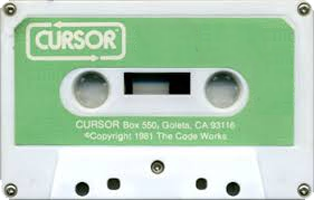
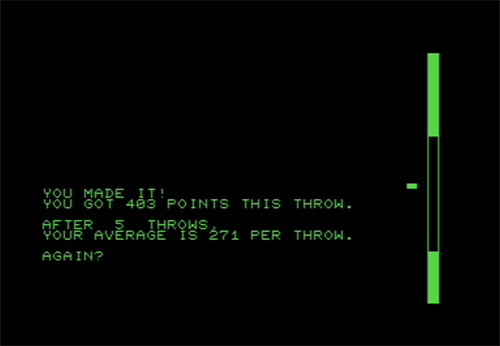
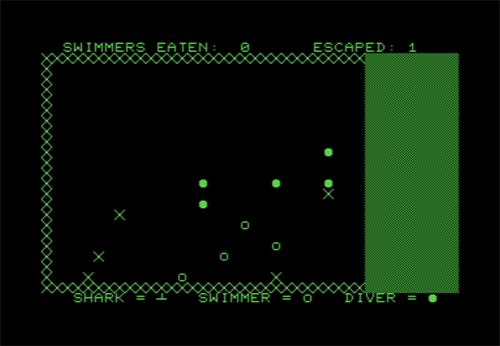
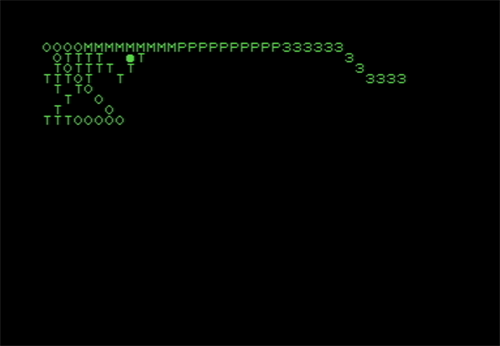
Cursor was a newsletter for the Commodore PET computer that came with a "cassette magazine." These magazines came with various programs, including games. This first newsletter came out in July of 1978. It contained six programs - only three of them will be scored here, but I'll describe them all. The programs are Cover, Brick, Wander, Shark, Plot, and Typer. I'll start with the non-reviewed programs first. Cover is essentially the "front cover" of this electronic magazine. It also mentions the contents of the cassette. Plot is a demonstration of plotting lines and Typer is a simple typewriter demo. Then we've got the more interactive programs, which I'll give brief reviews for. I'll start with Brick. Brick is a very simple, but addicting game. The concept is that you've got some windows on the screen. You'll see a brick flying towards the windows at varying speeds….after a certain amount of time, the brick becomes invisible. By pressing the spacebar, you stop the brick. The goal is to stop the brick as close to the glass as possible without breaking it. With the different speeds and different distances that the brick becomes invisible at, you'll likely find yourself playing this short, simple game way more than you'd expect. It also helps that it keeps track of stats while you play, as well. So you can see your average score until you reload the software. The next "game" is Wander. I have "game" in quotes because there's not really a goal here…you basically just set the length of a "drunk" worm, according to the newsletter, and while the worm crawls across the screen, you can pause the worm and change what character the worm's body is made of - it starts with o's by default. It basically feels like you're interacting with a computer screensaver…so, not really amusing. The last game is Shark. Shark is an interesting strategy game…you control a great white shark and your goal is to eat all of the swimmers in the level while avoiding traps and divers…because I guess divers are way more dangerous than swimmers? But anyway, using the numbers on the keyboard, you can move one or two spaces up, down, left, and right, as well as diagonally in all four directions. The game is turn-based, and each time you move the shark, all of the swimmers and divers also move. Swimmers can also escape, so it's essential to try to find the quickest route to the swimmers, while avoiding the divers, and trying your best to also not get caught in traps. It's a decent, early strategy game, but I don't think most folks will find it to be nearly as addicting as Brick is, even if each game will likely last multiple times longer. Overall, the first Cursor was a decent cassette, with Brick being the star and Shark being a decent-for-the-time strategy game, and everything else just kinda being there. Still, if you owned a Commodore PET, this was a neat cassette to get ahold of.
Brick
Shark
 Wander
Review added: 02/26/2026
Cursor #2
Also known as: N/A
Developer: Various
| My Score | Avg. Score | ||||||
| 5.0 | 5.3 | ||||||
| Release Dates | |||||||
|
|||||||
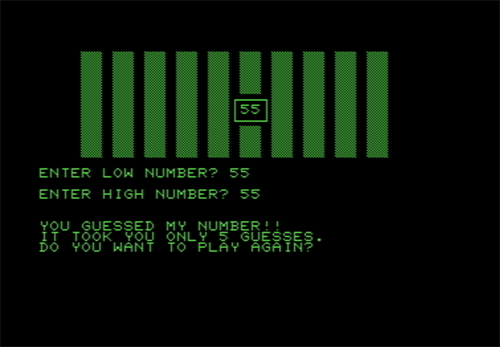
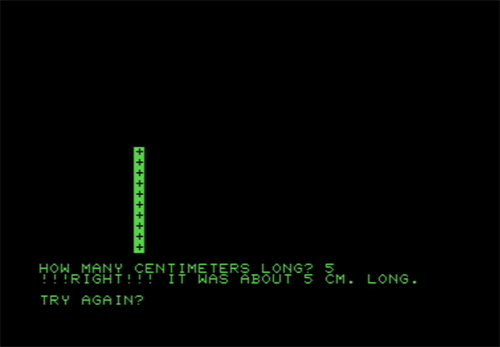
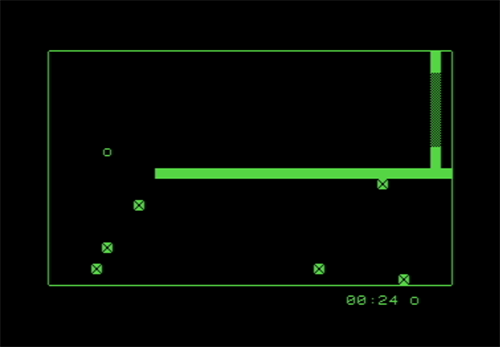
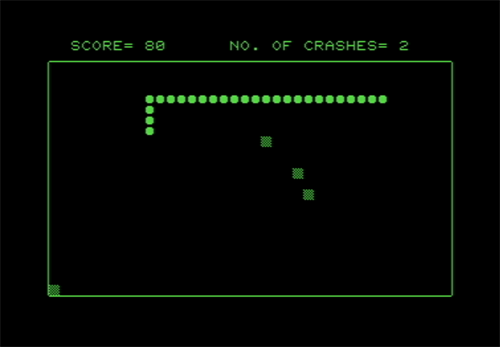
The second Cursor "cassette magazine" contained more games than the first one did, though the games here weren't quite up to par with what was found in the first issue. The first game is Race, a racing game where it seems like the goal is simply drive around a course and to last as long as you can without crashing. The course is essentially just a big square and you're allowed to freely roam the area. The unique aspect of the game is that Race allows you two play with two players simultaneously with both players using the same keyboard. Player one uses W, A, D, and X to turn and S to stop and Player two uses 8, 4, 6, and 2 to turn and 5 to stop. You can change the number of pylons (obstacles) and the speed of your vehicles. The newsletter made it sound like this would be the star of the cassette, but without any real clear goals, it feels like a bit of a letdown. Next is Zap. Zap is a "Snake" game where targets appear on the screen and your goal is to move the snake (or "missile" as the newsletter calls it) around to hit the targets, while the snake gets larger as you go. You've got 6 lives to rack your score up as high as possible. After that, we've got Est…which is a very simple game that's mildly addicting where you see a line on the screen and you guess how long the line is in centimeters. It's not really that fun, but if you're stubborn, like I can be, you may find yourself guessing until you finally get one correct. Speaking of guessing, the next game is Guess. Guess is essentially just a game where you try to figure out the random number that the computer selected. You give it a low number and a high number and the game will tell you if the number is between those numbers or not. It's honestly not that fun. Last is Mad, which is basically an electronic version of Mad Libs. If you've never done Mad Libs, it was a book of short stories with several blank spaces in each story. You would tell someone to give you nouns, names, etc. and you would write their answers down in the book, then read the story to them to see what kind of wacky results you got. In Mad, you don't need anyone else. The computer has the story and asks you to give them answers, then gives you the results at the end. The downside is that there doesn't seem to be a lot of stories here…I did three and got two of the same story in that span. Overall, Cursor #2 has more content, but with the exception of Zap, most games here aren't really worth playing.
Est
Guess
Mad
Race
Zap
Review added: 02/26/2026
Cursor #3
Also known as: N/A
Developer: Various
| My Score | Avg. Score | ||||||
| 6.0 | 6.1 | ||||||
| Release Dates | |||||||
|
|||||||
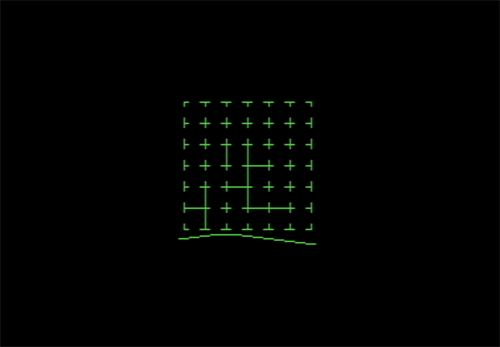
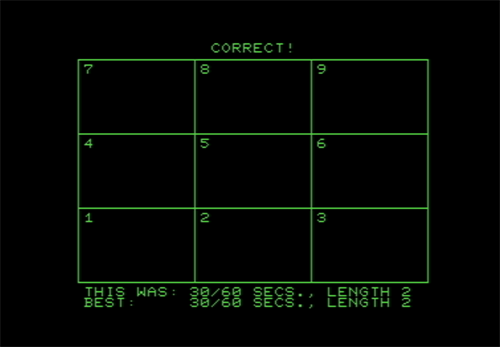
Cursor #3 provided some more games to subscribers, but also a bar graph program and two programs to create and display flash cards. The bar graph program was nice for a display back in 1979, but since it does absolutely nothing but display data that you put in (rather than collect and compile the data like software of today can do) it's not really useful this day and age. Then we have Flash and Cards…I've lumped them together because they go hand in hand. Cards is a program where you make flash cards. You can literally do it about anything - math, chemistry, the alleged ages of all of the elderly people in your neighborhood….anything you want to quiz someone on. After you make the cards and save the file, then you can open up the Flash program and it will display those cards, allowing you to quiz yourself, or quiz a friend, like you would with normal flash cards. It's a mildly neat concept…but the time and effort made to do all of this is about double or triple what it would be to simply grab some index cards and markers and make your own flash cards by hand. Now, onto the games. First is Dots…this is the pen-and-paper game that kids used to play in school - I say used to, because I'm sure with cell phones being all the rage, most kids have never heard of this game. Essentially, in this version of the game, you're playing on a six dot by six dot board against a computer opponent. You start by drawing a line from one dot to another, nearby dot. Then the computer does the same. Both sides continue taking turns with the goal being that you want to complete a square when you draw a line. So, you don't want to draw a line that results in three sides of a square being drawn otherwise you've just handed your opponent a point. The player with the most squares at the end wins the game. This was a decent adaptation of the game…though it can take a while for the computer to make a move, so it does feel like playing this takes a bit longer than it should. If you're a fan of Dots, though, and want the game to last even longer, the newsletter tells you where to modify the code to modify the size of the board. Next is Quix! I'm not excited about it, but the exclamation point is part of the title - any games from the Cursor series with an exclamation point at the end have sound…it also sounds like the PET did not have built-in speakers, so the newsletter actually explains how to set the PET up to a speaker…it wasn't as easy as it is today, folks, like the warning included that they aren't responsible if you "zorch" your computer by doing it wrong. Anyway, Quix! is a variation of Simon, a game I hate. Though, Quix! is a bit more complex due to the fact that every turn is a completely different pattern….you're not just extending the same pattern by a single note each time. Likewise, instead of only having four options, you've got nine here. The end result is one of the more tolerable versions of the memory game. And yes, the sound does make things a bit better….especially for folks like me that have a better memory for sounds than sight. And that wraps up another Cursor cassette magazine. Despite having the first game with sound in the Cursor collection, this was a pretty tame edition overall, though since there weren't really any stinkers to bog the average score down, this is the highest-rated Cursor edition so far…
Dots
Quix!
Review added: 02/28/2026
Cursor #4
Also known as: N/A
Developer: Various
| My Score | Avg. Score | ||||||
| 4.0 | 4.0 | ||||||
| Release Dates | |||||||
|
|||||||
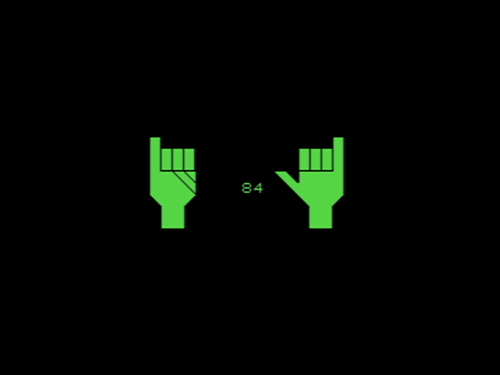
If you enjoyed playing games on your Commodore PET, then Cursor #4 was not the issue for you. Despite the cover being the fanciest one yet, with audio playing and piano keys being pressed on the main page, the contents were a bit underwhelming if you wanted a game to play in the October 1978 issue. The closest thing to a game in this edition was called Bop, short for Chisanbop. Chisanbop is the Korean technique of being able to count to ninety-nine on your fingers. As such, this program teaches you how it works - essentially, using both hands, your right fingers are worth one, your right thumb is worth five, your left fingers are worth ten, and your left thumb is worth fifty. As you count with your right fingers, think of your thumb and left fingers kind of like the slashes when doing tally marks. Bop is interactive enough where I consider it a game, but only just barely. As a game, it's not so great….as a learning tool to count on your hands a little more effectively (unless you blew off your fingers with fireworks as a child) Bop does a solid job. The other programs included in Cursor #4 are Calc, a fancy calculator; Clock, a fancy digital clock (or alarm clock if you set it to be one); Inp, a subroutine to use in the Commodore PET; and Ced, a three-screen text editior. None of the applications are really useful today, with even the cheapest computers having better alternatives to most of them, but for the time, they were a nice novelty. Still, if you were hoping for games back in October 1978, Cursor #4 left you a little disappointed.
Bop
Review added: 02/28/2026
Cursor #5
Also known as: N/A
Developer: Various
| My Score | Avg. Score | ||||||
| 3.0 | 3.3 | ||||||
| Release Dates | |||||||
|
|||||||
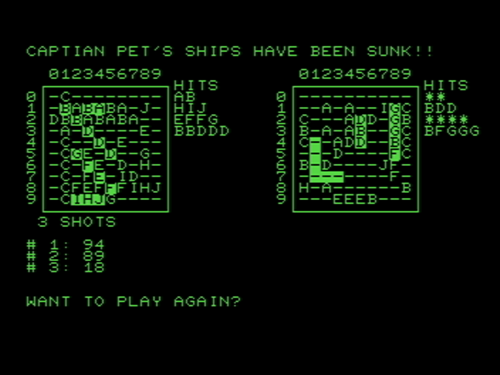
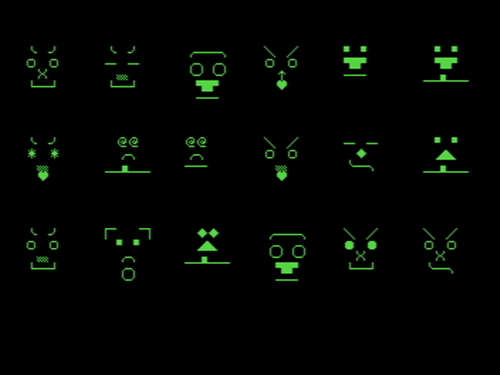
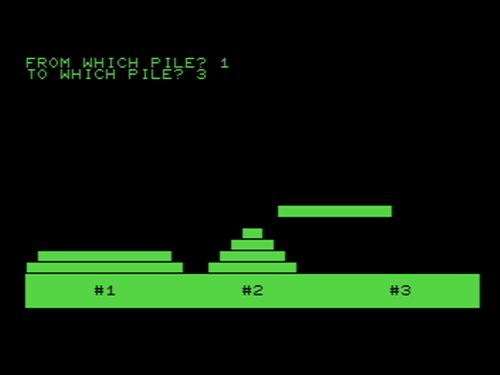
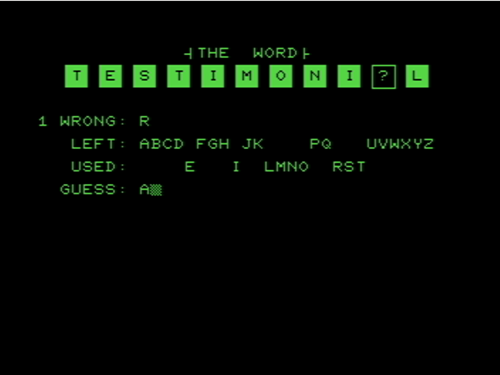
With a lack of games in the previous edition, Cursor #5 made up for it with five games in the November/December 1978 issue, as well as a fix for the solid game Zap, where a bug had been discovered. The problem is that most of the games weren't very good. The first game is Hanoi, which was omitted from the list of software on the front page of the newsletter. Ironically, it's also the best game on the cassette. Hanoi is a classic puzzle game where the goal is to move a pile of blocks from one place to another, with the catch that you can only move the top block of a stack, and you can never place a larger block on top of a smaller block. When you move the blocks, you'll see an animation of the block moving, however, that animation makes an already slow-paced game feel even slower. After that is Shoot, where the goal is to fire at a falling target. I found myself firing at my falling interest level while I played. After that, is a Commodore PET version of Battleship, Bship. If you know the rules of Battleship, then that's basically what to expect here, but with a twist. Instead of taking turns with a single guess, you make multiple guesses - meaning that if you hit your opponent's ship, you don't know which shot made the hit. So, even after a successful hit, you're still guessing as to which shot to follow up on. Also, you can only battle against the computer, not against a friend. While Bship isn't absolutely terrible, it simply isn't very good - certainly not good enough to justify playing this over going out and getting the actual board game to play with a friend instead. Speaking of absolutely terrible, though, the next game, Face, is about as worthless of a program/game that you could ask for. The newsletter says that this game was designed because police composite portraits fascinated the creator…I believe that drugs were involved with that fascination because this can be compared to police composite portraits like turds can be compared to a dining table - both items are brown, but the one really stinks. Face really stinks. Last is Hman, a poor attempt at the game Hangman. Playing as-is, it's not very fun. However, the one positive side is that you can modify the code to include your own words, so you can confuse your friends by having them play and fail at solving "exlarf." Overall, while it was nice to have a Cursor cassette packed with games, most of them aren't very good. Still, though, if you're a fan of logic and strategy games, Hanoi may keep you hooked for a little while…just don't expect too much else on here to keep you coming back for more.
Bship
Face
Hanoi
Hman
Shoot
Review added: 02/28/2026
Cursor #6
Also known as: N/A
Developer: Various
| My Score | Avg. Score | ||||||
| 6.5 | 6.6 | ||||||
| Release Dates | |||||||
|
|||||||
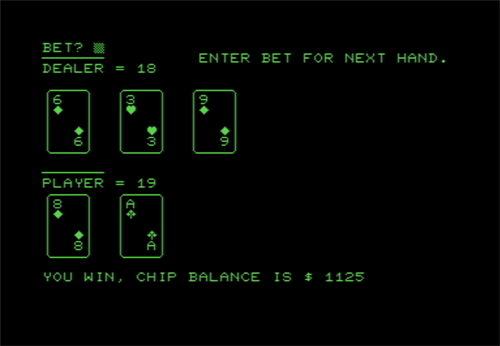
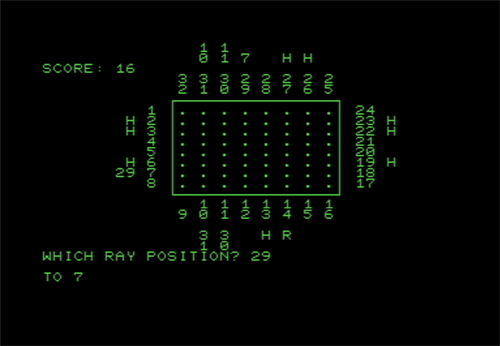
The January 1979 edition of Cursor had two games along with a few pieces of software. We'll mention the software first to get it out of the way. The first two pieces of software seem to work together - Pack and List. Pack looks at a program and removes all of the "blanks" found within to clear up space. List then allows you to read the programs that you removed the blanks from. There is a warning in the newsletter that using list will use a lot of the PET's memory, so when you're done using List, you'll want to type in a command when done so that your Commodore PET knows that it has its memory back. Cedpr is the next program, which looks like it allows you to list one or more CED files on a printer. Alright, on to the games. The first game included in Cursor #6 is Box. Box is essentially an electronic version of the Parker Bros. board game "Black Box." Black Box was before my time, and I don't recall ever seeing it on store shelves (not that I was ever looking for it) so I had to teach myself how to play. The instructions included in the game aren't awful, but a Google search may make things a bit more clear for newcomers, like me. Anyway, it's a decent little strategy game for the time and may be an addicting time-killer for some. It wasn't my cup of tea, but this electronic adaptation of the board game is pretty well done. Next is Bjack, which is the seemingly mandatory Blackjack game that all home computers and consoles seemed to have. This version is done pretty well, though. It's clean, easy to play, and looks nice in comparison to some of the other games I've played on the PET. Because of how simple Bjack is, and how quickly each hand plays out, it can become addicting…especially if you start getting on a hot streak. This version of blackjack also includes options for double and insurance bets, so it's not as simplistic as you'd think. It's not the best video game version of the card game for its time, but it's still a pretty solid one. Overall, while this version of Cursor didn't have a lot in terms of games, the two games included were well done, proving that quality is better than quantity.
Box
Bjack
Review added: 03/02/2026
Cursor #7
Also known as: N/A
Developer: Various
| My Score | Avg. Score | ||||||
| 4.0 | 4.2 | ||||||
| Release Dates | |||||||
|
|||||||
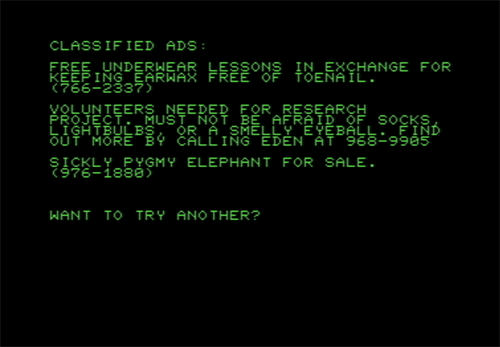
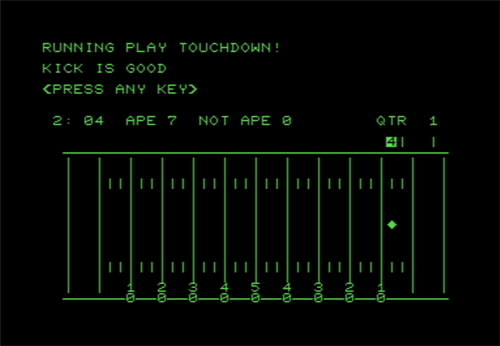
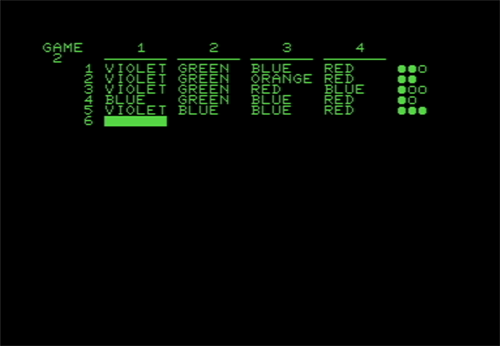
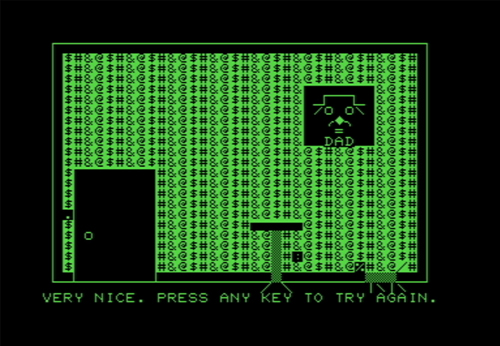
The February 1979 edition of Cursor contains two pieces of software, two games, and one that's somewhere in the middle - I'm tossing it in with the games since it's interactive and doesn't seem to have a purpose other than to "entertain" the user…though, it's about as entertaining as having a scorpion pick your nose with its stinger. Anyway, let's start with the software. First is Pricer, a piece of software designed to help business owners with costs, like paying employees and such. Next is Sound!, which has that all-important exclamation point to let you know that sound is used in the program named Sound!. Sound! is basically just a sound effects library. This is also the issue that Cursor decided to always add an exclamation point at the end of a program to signify that sound is used. From there, we've got the games. The first game, Mind, is a version of the game Mastermind. Mastermind is a logic game where the computer lists four colors in order, but you don't know what they are. Your goal is to take a guess at what the colors are. By looking at the "hits" and "misses" from your guesses, your goal is to figure out the correct colors, in the correct order, in as few guesses as possible. I always enjoy logic stuff like this, so I found it to be fairly addicting. Next is Fball, is a strategic game of football. You don't control any players, instead you act more like the coach, calling the plays and watching the action play out. You've got seven options, including the ability to call for a time out, when you're on both offense and defense. Since the plays are not displayed on the screen while you play, you may want to write them down before you start - they are displayed before you begin playing the game. Or, if you've got the Cursor newsletter handy, it's also listed in there. It's far from being a perfect game, but it's still passable for what it is. Last, we've got Paper…and hoo boy, what a waste of space it is. I'll let the intro screen describe Paper to you, "This program is an exercise in creativity. You will be asked four characters (not necessarily different) which will be used to form a pattern for wallpaper. The result will then be displayed for your enjoyment." This program was created by Ralph Dufour - Ralph, if you're reading this, typing in "$#@!" Isn't an exercise in creativity…it's typing in a censored curse word and watching your program plaster it on a fake wall, along with a photo of a creepster father that looks like he'd just stand in a doorway in the middle of the night, watching you sleep like a psychopath with a knife in his hand. Is that the creativity? Giving me horrible imagery that makes my mind believe that I'll be murdered in my sleep by this fictitious father? Also, on a side note, using quotes in this software pretty much breaks the game, giving you odd symbols and such on the "wallpaper." Perhaps a little more creativity could have been used to fix that issue, eh? Anyway, this was a so-so edition of Cursor…Paper feels like a complete waste of a spot that could have been filled by something better, but everything else isn't too bad.
Mind
Fball
Paper
Review added: 03/02/2026
Cursor #8
Also known as: N/A
Developer: Various
| My Score | Avg. Score | ||||||
| 5.0 | 5.0 | ||||||
| Release Dates | |||||||
|
|||||||
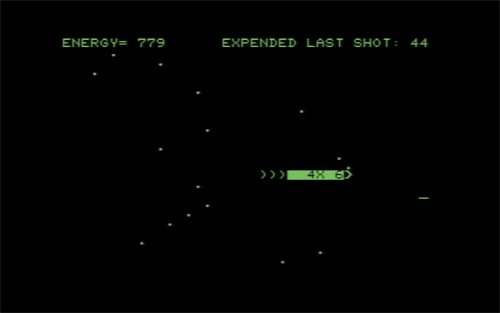
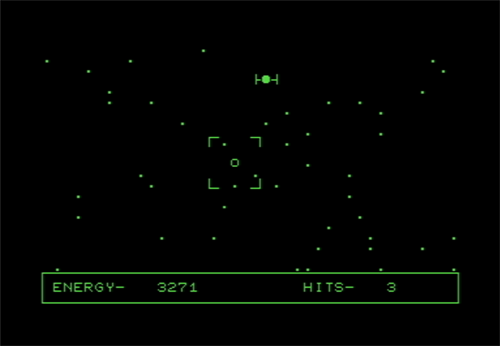
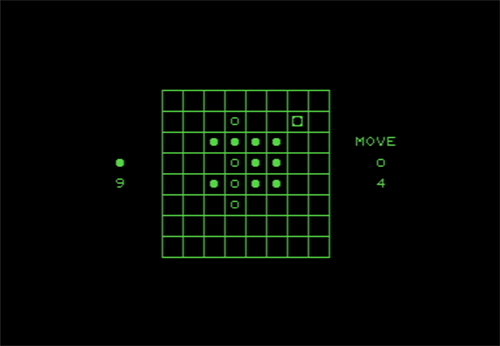
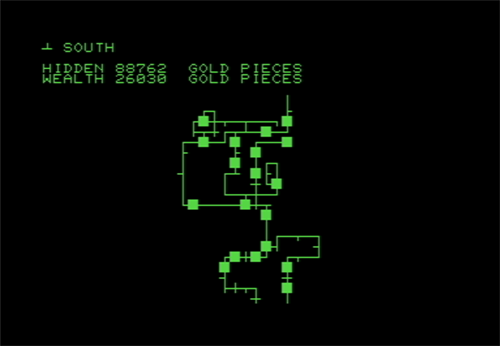
The March 1979 edition of Cursor included the usual mix of software and games. The software in this cassette were Dbook, a simple electronic datebook to use with your computer and X, a way to start writing a program for the PET. I'll also throw Add into the programs area. I almost added (pun intended) it to the games section, but since it's not really a "game" in that, you solve a single addition problem with no timer or score, I felt like I'd leave it off the games list. Basically, in Add, you tell the computer how many rows and columns the numbers will be…so six rows would be six numbers and four columns would be four digits in each number. Then you add the numbers up the "long way" where you add up numbers right to left, carrying numbers over as you go. I'm not even sure if this is how kids are taught how to add these days, so it may not even really help young'uns learn, unless they're curious about how us old fogeys learned how to add. Now, onto the games. First is Revers!, which is a video game version of Reversi that can be one player versus the computer, one player versus another player, or even the computer versus the computer, if you're not familiar with the game and want to see how it works (the instructions included aren't very helpful to help you learn). Despite the exclamation point in the game's name, the sounds here are minimal…but the gameplay is solid when playing against someone else. When playing against the computer, though, expect pretty long wait times while the PET figures out its move. Next is another exclamation point game, Space! Space is a pretty ambitious game for the time and platform - basically, it puts you in the cockpit of a space ship. Your goal is to shoot down enemy ships. The enemy ships don't fire back, but your ship constantly loses energy by moving or firing, so the goal is to do your best to make precise movements and save your shots for when they count. I didn't particularly care for it, but I appreciate the ambition and it's still a decent game for what it is, even if it's not my cup of tea. Last is Maze, a not-so-good maze game. Before you begin, the PET draws out a maze…you let it continue to draw as long as you want, pressing Enter when you feel like it's large enough. From there, the game will place gold all over the maze. Your goal is to then navigate the maze and collect all of the gold. It's not really fun, honestly. The gold aspect feels unnecessary, since you'll pick it all up without effort by simply navigating the maze. It feels like it was simply added to add some depth to a game with no depth…and it fails. Anyway, all in all Cursor #8 wasn't awful for games, but it wasn't one of my favorites. Revers! and Space! were both decent, but neither one was really for me, and Maze wasn't very good. The end result is one of the better Cursor releases that I've reviewed so far, but still not one that I think I'll be revisiting.
Revers!
Space!
Maze
Review added: 03/03/2026
Cursor #9
Also known as: N/A
Developer: Various
| My Score | Avg. Score | ||||||
| 6.0 | 6.0 | ||||||
| Release Dates | |||||||
|
|||||||
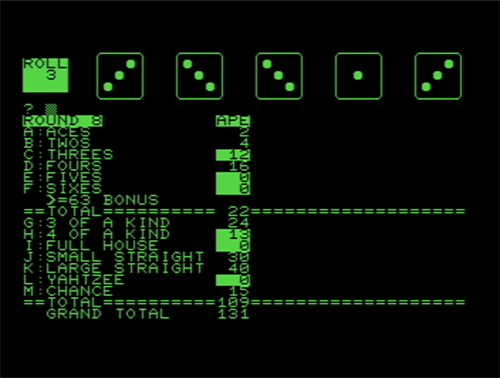
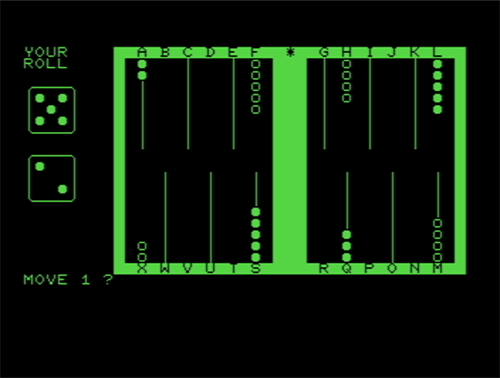
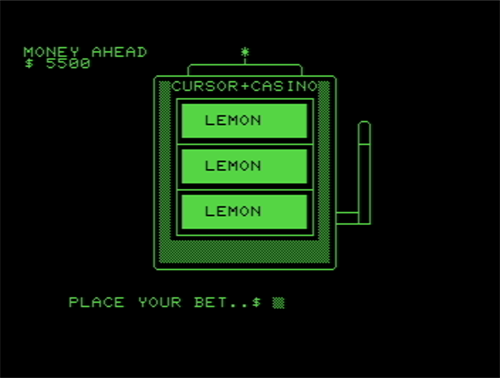
Cursor #9 came out in April of 1979 and it contained two pieces of software along with three games. First, the pieces of software included are Flip and Circle. At the time that Cursor #9 came out, Commodore had developed a new set of ROMs. This created side effects of existing programs. Flip is a piece of software designed to help convert older programs to work properly with the newer ROMs. The other piece of software, Circle, is mostly just a novelty…though, a somewhat annoying one. The goal is to specify two locations and the software tells you the distance between them…the problem is that you can't just type in Milwaukee, Wisconsin or Stockholm, Sweden. You need to instead type in the first letter of a state or country and then type in Y or N, depending on if the computer guesses your location correctly. Unfortunately, there are a LOT of locations missing, so you may be typing N for a while, just to have everything reset because your location is not in the program. For example, if the country that you're looking for is Laos, you're out of luck. It's not in this software. Anyway, on to the games. First is Yahtzee, a solid video game variation of the popular dice game. Basically, you roll the dice and play like normal. In a nice touch, the dice may be orientated in different directions, like they would be if you were to roll some dice in the real world. Another nice feature is that you can constantly see what your current hand will score by looking at everything down below the dice. So, you can decide if you'll get more points by logging the roll as matching 5's or if you'll get more points logging it as three of a kind. It's a pretty solid game, and if you're a fan of the dice game, you'll likely enjoy Glen Fisher's take on it. Next is Slot! Now, I am not shy about talking about how much I dislike slot machine video games, and I don't think Slot! is very good…but it's one of the least-offensive versions of simulating a slot machine that I've played, even if it's visually lacking. You get the results of each spin fairly quickly and you can go crazy with your bets, up to $5000 per spin, to see how much money you can rack up, or how much in debt you put yourself in. It's got the exclamation point in the title, so it also has the novelty of including sound, so when you take into consideration the hardware that it's running on, and the time that it was released, Slot! isn't as awful as other, similar slot games are. Last is Gammon, a passable video game version of Backgammon. If you had an 8K Commodore PET, this program would not run on it - it needed 14k to run. Sooo, basically, this was software that could only be run if you had upgraded your Commodore PET at some point. Was it worth it to do the upgrade? Well, not really for this game. If you like Backgammon, it's passable, but if you're new to Backgammon, the instructions aren't really the best - and their statement of "look at the instructions from any Backgammon game" seems lazy. Perhaps including those detailed instructions in the Cursor newsletter would have been beneficial…after all, if you've got a physical version of the game already, then you probably already know how to play the game...and likewise, if you had the physical version of the game, why would you bother upgrading your computer to play this? Anyway, Yahtzee was the star of Cursor #9, but the other games weren't absolutely awful…even Slots! was better than I thought it would be. Overall, it was a worthwhile edition of the "cassette magazine" to have.
Gammon
Slot!
Yahtzee
Review added: 03/03/2026
Crazy Balloon
Also known as: N/A
Developer: Unknown
| My Score | Avg. Score | ||||||
| 6.0 | 6.3 | ||||||
| Release Dates | |||||||
|
|||||||

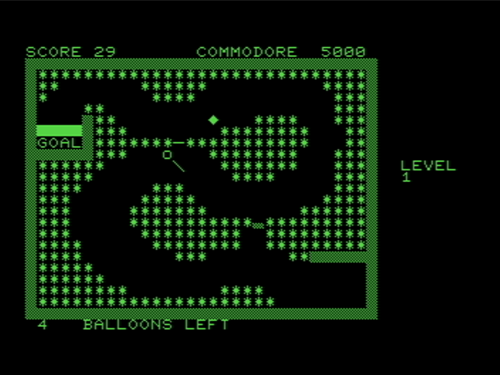
Crazy Balloon on the Commodore PET was a port of the arcade game of the same name. Obviously, like computer/console games of the time, the arcade game looks much more impressive than this port does, however, whoever developed this game (I couldn't find any information in regards to who programmed this port) did a pretty good job of bringing the look and feel of the arcade game home for players. Unfortunately, there is one, major flaw in this game - the gameplay itself. While the arcade version of Crazy Balloon is pretty smooth, this version of the game is a bit choppier with the movements and the animations aren't nearly as smooth. As weird as that sounds, though, some may find that as something that makes this game easier than the arcade version. The hoppiness seems to make the balloon sway slower than in the arcade original, giving you a little more room for error as you navigate the balloon through the spike-filled maze, towards your goal. While not as good as the arcade original, this version of Crazy Balloon does a passable job of bringing the arcade action home...and considering the limitations of the hardware that it's running on, I feel like that's a pretty impressive feat.
Review added: 03/04/2026